How to Import a PDF Bank Statement into Google Sheets
To import a bank statement into Google Sheets, the easiest route is your bank's CSV download; for a PDF bank statement, you need a converter or an AI reader to pull out the transactions first.
Option 1: CSV (most reliable, free)
- In online banking, look for Download or Export on the activity page and choose CSV.
- In Google Sheets: File > Import > Upload, choose the CSV, and insert it as a new sheet.
- Check that dates and amounts came in as numbers (not text). Set File > Settings > Locale to your country if they didn't.
Option 2: PDF statement
Google Sheets can't read a PDF directly. Copy-pasting from a PDF usually scrambles columns. Your options are a PDF-to-CSV converter or an AI model that reads the statement. Either way, check the totals: the money in, money out and ending balance should match the statement.
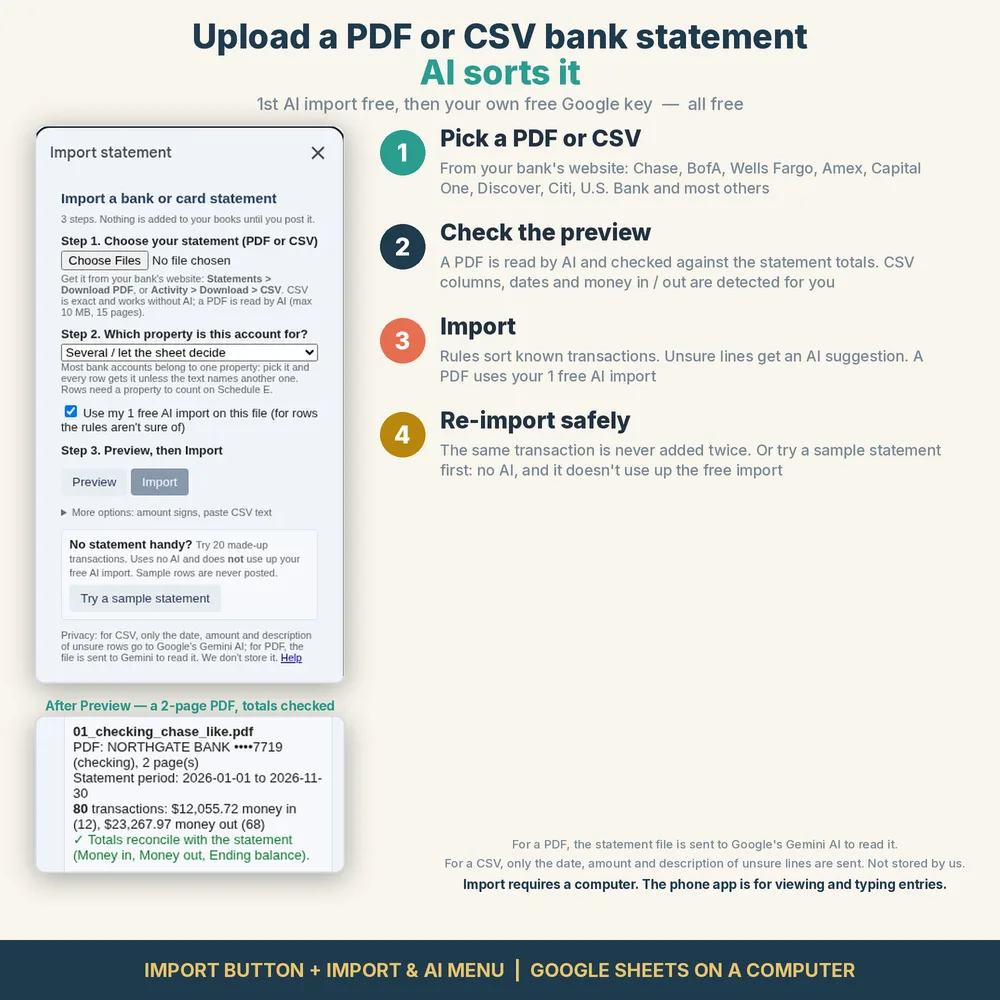
Then: categorize the transactions
Raw transactions aren't bookkeeping yet. For a rental, give each line a property and a Schedule E category, and remove transfers, card payments and personal spending. Rules help: "Zelle from [tenant]" is rent; your mortgage servicer is mortgage (interest only, see here); the county treasurer is taxes.
Privacy tips
Statements contain account numbers and balances. Prefer tools that don't need your bank login, read what a tool sends where, and don't paste statements into tools you don't trust.
See it on Etsy ($14.99, one-time)
FAQ
Can Google Sheets import a PDF?
Not directly. Convert the PDF to CSV first (with a converter or AI), or use your bank's CSV download instead.
How do I import a CSV bank statement into Google Sheets?
Use File > Import > Upload, choose the CSV file and insert a new sheet. Check that dates and amounts were recognized as numbers.
Can AI categorize bank transactions?
Yes, AI can suggest categories, but it makes mistakes. Review low-confidence lines before you rely on the totals.
Is it safe to upload bank statements to AI tools?
It depends on the tool. Check what data is sent, whether it's stored, and whether it's used for training; avoid tools that ask for your bank password.