Rental Property Spreadsheet for Google Sheets, Built Around Schedule E
A rental property spreadsheet is the simplest way for a small landlord to track rent, expenses and taxes without paying for monthly software. This site has free guides and a free Schedule E worksheet, plus the spreadsheet we sell on Etsy.
Free tools and guides
Free Schedule E worksheet
Add up one property's rent and expenses by Schedule E line, right in your browser.How to do bookkeeping for rental property
A simple monthly routine for 1–50 rentals.Schedule E expense categories
Every line 3–21, with examples.Landlord tax deductions checklist
What rental expenses you can deduct, and what you can't.Can you deduct mortgage payments?
Interest yes, principal no. Here's how to split it.Is a security deposit rental income?
When a deposit counts and when it doesn't.Import a PDF bank statement into Google Sheets
CSV, PDF and AI options compared.What's in our rental property spreadsheet
- Income and expense logs (3,000 rows each) with dropdowns; the 15 expense categories match Schedule E line names
- AI statement import in the Google Sheets version: PDF or CSV. Your first AI import is on us; after that you add your own free Google Gemini key (about 2 minutes). CSV import also works with no AI at all
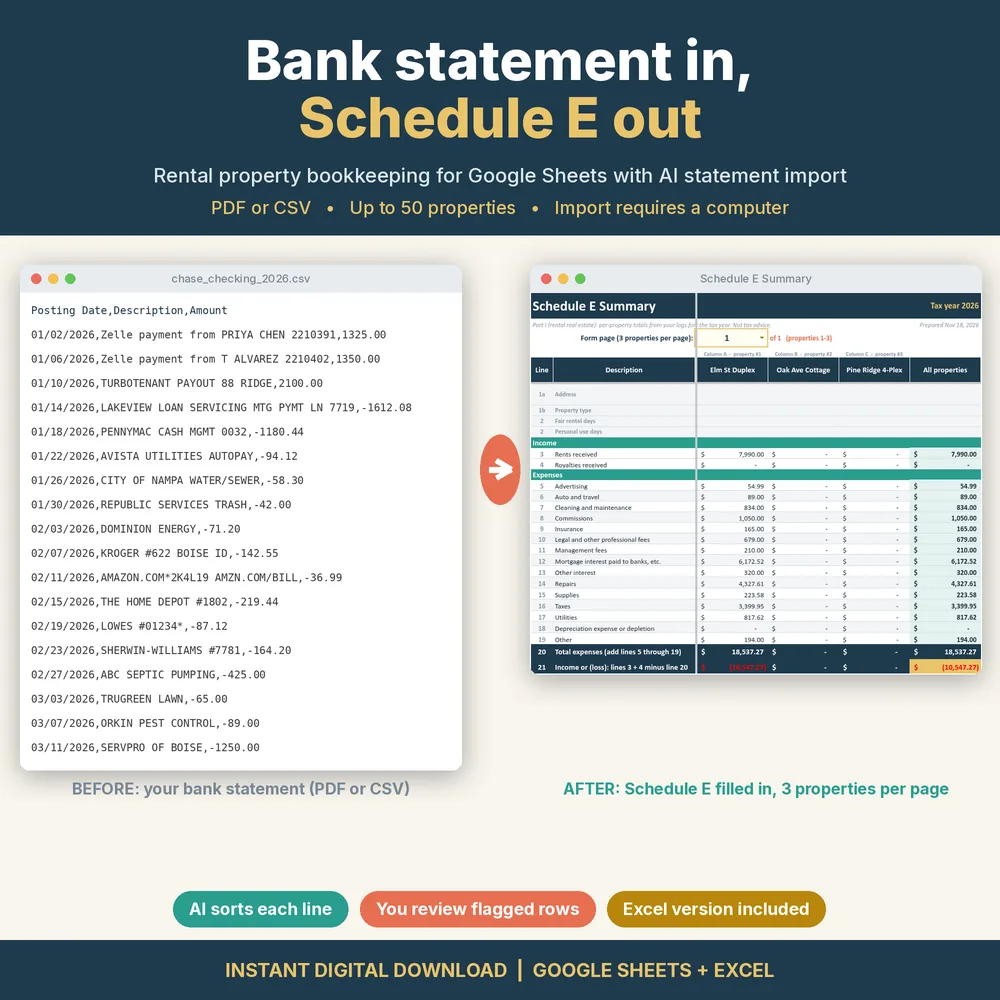
- Schedule E summary laid out like the IRS form, 3 properties per page plus an all-properties total, for up to 50 properties
- Rent roll for up to 200 units, a dashboard with 3 charts, and an Excel version (no AI import)
Honest limits: the statement import runs in a computer browser, not the Google Sheets phone app. Categories are suggestions you review. It's an organizing tool, not tax advice.
Want this done for you? Our rental property spreadsheet for Google Sheets
imports a bank statement (PDF or CSV), suggests a Schedule E category for each line, flags the ones it isn't sure about,
and fills in a per-property Schedule E summary. Up to 50 properties, Excel version included. The statement import needs a computer browser.
See it on Etsy ($14.99, one-time)
See it on Etsy ($14.99, one-time)